
PLATFORM
The guest's default messaging app, connected to your PMS. Not an FAQ bot with a green icon: an agent that reads and writes to your systems and closes the request.
- Any BSP, or direct to the WhatsApp Business API
- Your number, your property, no vendor lock-in
- 100+ languages, 24/7, PMS-connected
Why WhatsApp
WhatsApp is where guests already are. It needs no app download, no account creation, and no password reset at 23:00. The thread persists across the whole stay, so context carries from the booking confirmation to the checkout invoice.
The channel only matters if the agent behind it can act. In D3x, WhatsApp is a front door onto the Skills Engine and your live integrations.
Zero friction
No app, no login. The guest opens a thread and types.
Persistent context
One thread per guest across pre-arrival, in-stay and post-stay.
Acts, not answers
Every skill available to D3x is available on WhatsApp.
Connect it your way
The WhatsApp channel supports any configuration. Connect through your existing Business Solution Provider, or go direct to the WhatsApp Business API. D3x does not require you to change provider to get started.
- Via your existing BSP: keep the provider you already use
- Via the WhatsApp Business API directly: D3x manages the integration end to end
- Migrating in: the number moves with you; see You own the number
You own the number
The phone number belongs to the property, not to D3x. You are not locked in as a vendor and you can disconnect at any point.
Bring an existing number, or connect the property's landline. Many properties do exactly that. Ownership is proved with a one-time passcode delivered by SMS or by voice call. D3x then connects to Meta Business Suite to authenticate the number and link it to your D3x account.
- 1
Choose the number
A new number, an existing WhatsApp number, or the property landline.
- 2
Verify ownership
Meta sends a one-time passcode by text or by phone call.
- 3
Link the account
D3x connects via Meta Business Suite and the channel goes live.
What the agent can do
WhatsApp is powered by the D3x business rule engine, so the agent executes rather than deflecting. Every skill D3x supports is available on the channel.
| Guest says | D3x does |
|---|---|
| "Can you add our VAT number to the invoice?" | Writes the VAT ID to the profile and reissues the invoice in the PMS. |
| "Can I get a receipt with the company name on it?" | Modifies the folio in the PMS and returns the document in-thread. |
| "Do you have a room for two nights in November?" | Queries availability and rates in the PMS, then builds a deep link into the booking engine. |
| Sends a video of a loose bedside lamp | Interprets the video and tells the guest not to use it or touch the exposed wiring. |
| Sends screenshots or a booking PDF | Extracts names, dates, and confirmation details, then continues matching in the same thread. |
| The moment calls for breakfast, a service, or a document | Sends the relevant images and PDFs from the property knowledge base in the thread. |
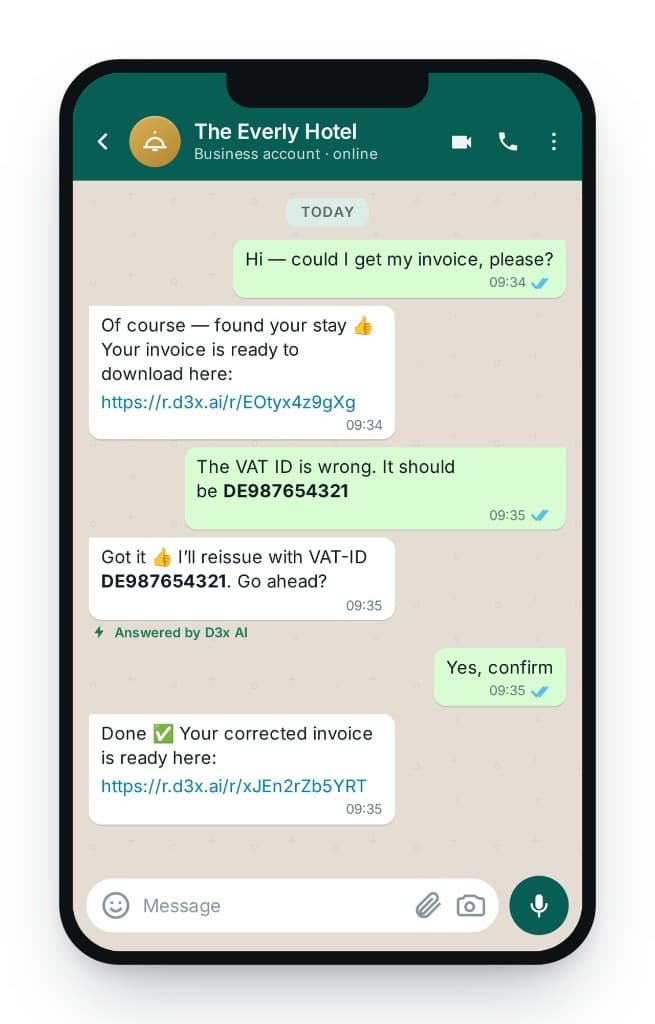
PMS and booking engine coverage varies. See Integrations. For how the agent reads photos, video, screenshots, and PDFs, and how it sends knowledge-base images and PDFs at the right moment, see Images, video and PDFs.
Always on, in the guest's language
The channel runs 24/7 with a live PMS connection behind it, and responds in whatever language the guest writes in (over 100 supported). A guest messaging in Portuguese at 02:00 gets the same resolution as a guest at the desk at midday.
Getting guests onto the channel
A channel is only as good as its discoverability. D3x properties surface the number in four places.
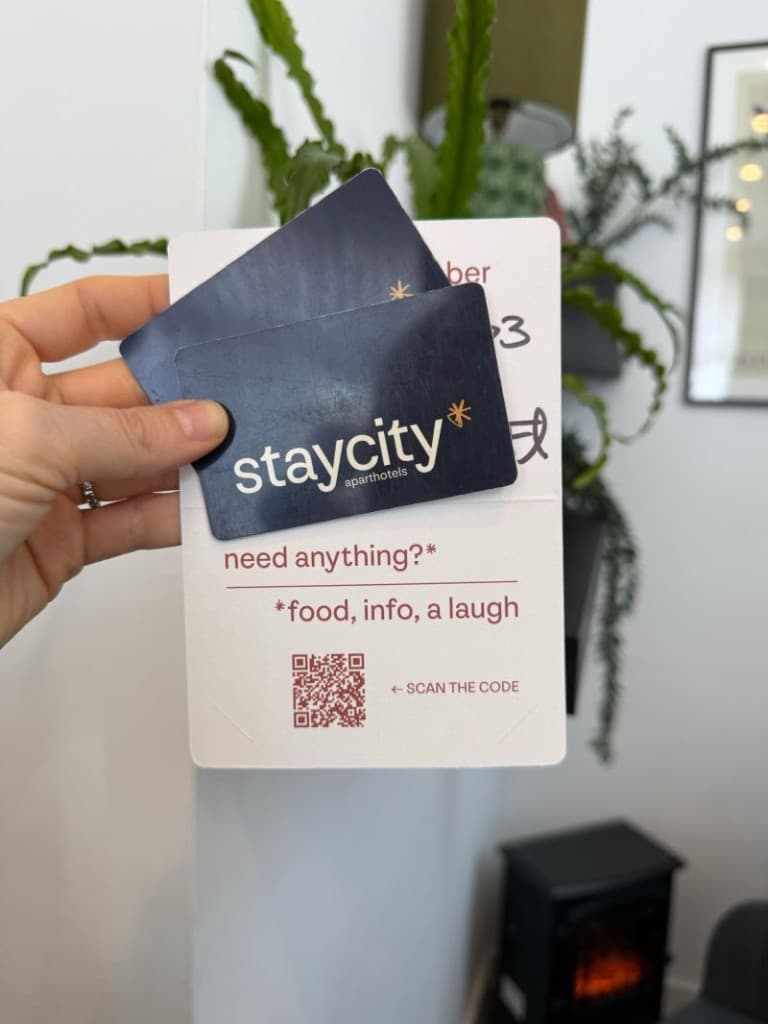
- QR codes in-room: on the desk, the key card wallet, or the in-room TV screen
- Booking confirmation emails: the number in the confirmation, so the guest knows the thread exists before arrival
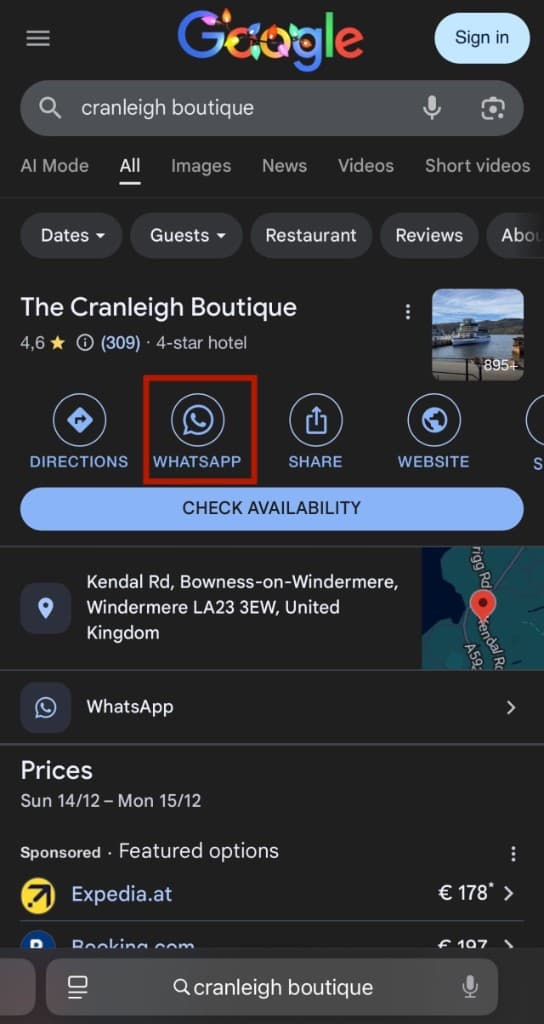
- Google Business Profile: Google now supports a WhatsApp link on the profile
- Anywhere the guest already looks: signage, welcome cards, the property website
Google Business Profile
Google Business Profile supports a WhatsApp number. That takes a guest from a Google search or Google Maps straight into a thread with the agent, which can then answer the question and funnel them to the booking engine. Google search traffic becomes direct booking traffic instead of an OTA click.
Direct booking attribution
Whenever the agent sends a booking engine link, D3x shortens and encrypts it, so the click is measurable. You see how much traffic WhatsApp sends to the booking engine, and what that traffic is worth.
The value is known because the agent knows the search. If the guest asked for two nights in November at €200 and clicked the link, the click is attributed at €200 of intent.
- Guest asks: 2 nights, November, 2 adults
- Agent queries PMS: available, €200
- Agent sends tracked deep link
- Click recorded → €200 attributed intent
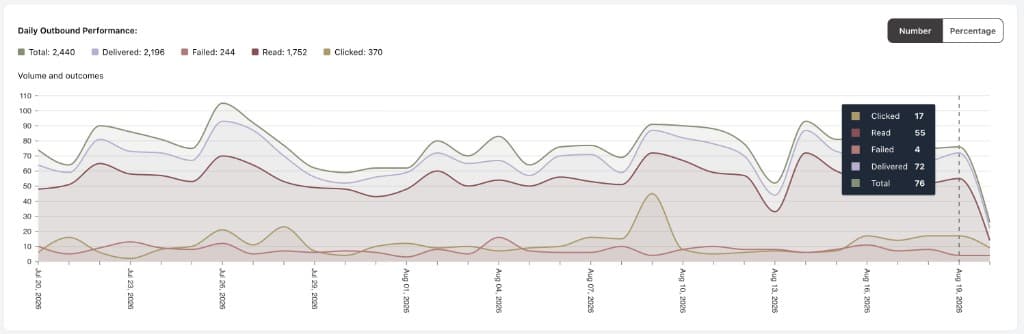
Outbound guest journeys
D3x sends WhatsApp templates at defined points in the stay (pre-arrival, in-house and post-stay) and filters every send so the message only goes to the guests it applies to.
Targeting filters
The message is only delivered if the reservation matches:
- number of nights
- rate plan (include or exclude)
- room type (include or exclude)
- booking source
- number of guests on the booking
Message composition
Templates support:
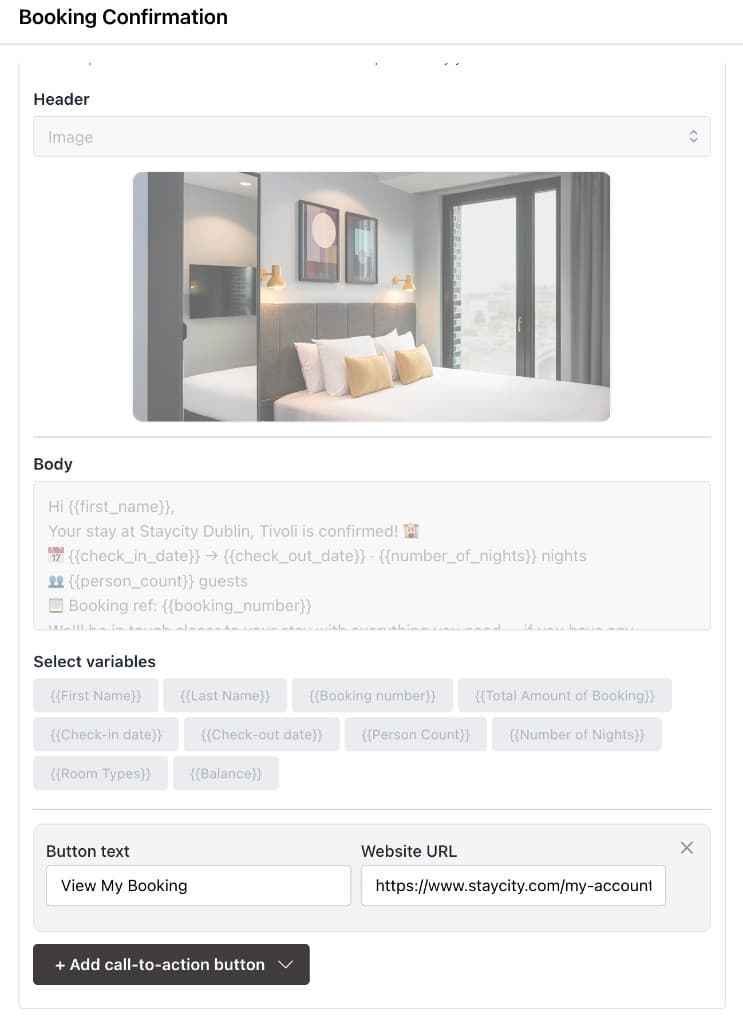
- Call-to-action buttons, including dynamic ones (for example a button that fetches the live online check-in link from the PMS)
- Images
- Variables: first name, last name, reservation amount, reservation balance, arrival date, checkout date, booking number
Example
A booking confirmation / pre-arrival template with a first-name variable, stay details, and a View My Booking call-to-action.
On-demand and bulk sends
Not every message fits a schedule. D3x supports two kinds of ad-hoc send.
| Type | What it is | Example |
|---|---|---|
| On-demand | A single message to a single guest, triggered by a team member or by the system, including off the back of a phone call. | "Your room is ready. Come and collect your key whenever you like." |
| Bulk | One message to a defined audience: all in-house, all arriving today, all departing tomorrow. | "There is a fire drill at 11:00 tomorrow. No action needed if you hear the alarm." |
Front desk teams can trigger pre-configured templates to any number at any time, without waiting for a marketing schedule.
Compliance and deliverability
Every template follows marketing compliance practice. If a guest replies "stop", they are unsubscribed from all future templates immediately.
D3x also checks delivery. In the small share of cases where a guest does not use WhatsApp and the message fails, D3x can fall back to SMS so the message still lands.
Opt-out honoured
A "stop" reply unsubscribes the guest from all future templates immediately.
SMS fallback on failure
When WhatsApp delivery fails, D3x can fall back to SMS so the message still lands.
Phishing guardrail
Operators can turn on a guardrail so the AI recognizes payment links and communication channels that come from a potentially harmful phishing attempt, on WhatsApp as well as voice and email. Guests are contacting properties more often to ask for help and clarification. The guardrail is a preventive step for that spike. See Agent safety.